

A holiday bonus paid outside the regular payroll cycle can disappear from an annual wage report. An address change can leave a former employee waiting for a tax statement. A year-end payroll checklist helps employers find these problems before forms are released, while the underlying records are still easy to reach and corrections can be reviewed together.
For employers closing 2026, organize the work around three checkpoints: before the last December payment, after payroll closes, and before annual statements are filed and delivered. Each section below names a task and the evidence you need to finish it. Work through it with your payroll provider, assigning responsibilities according to your service agreement and approval process.
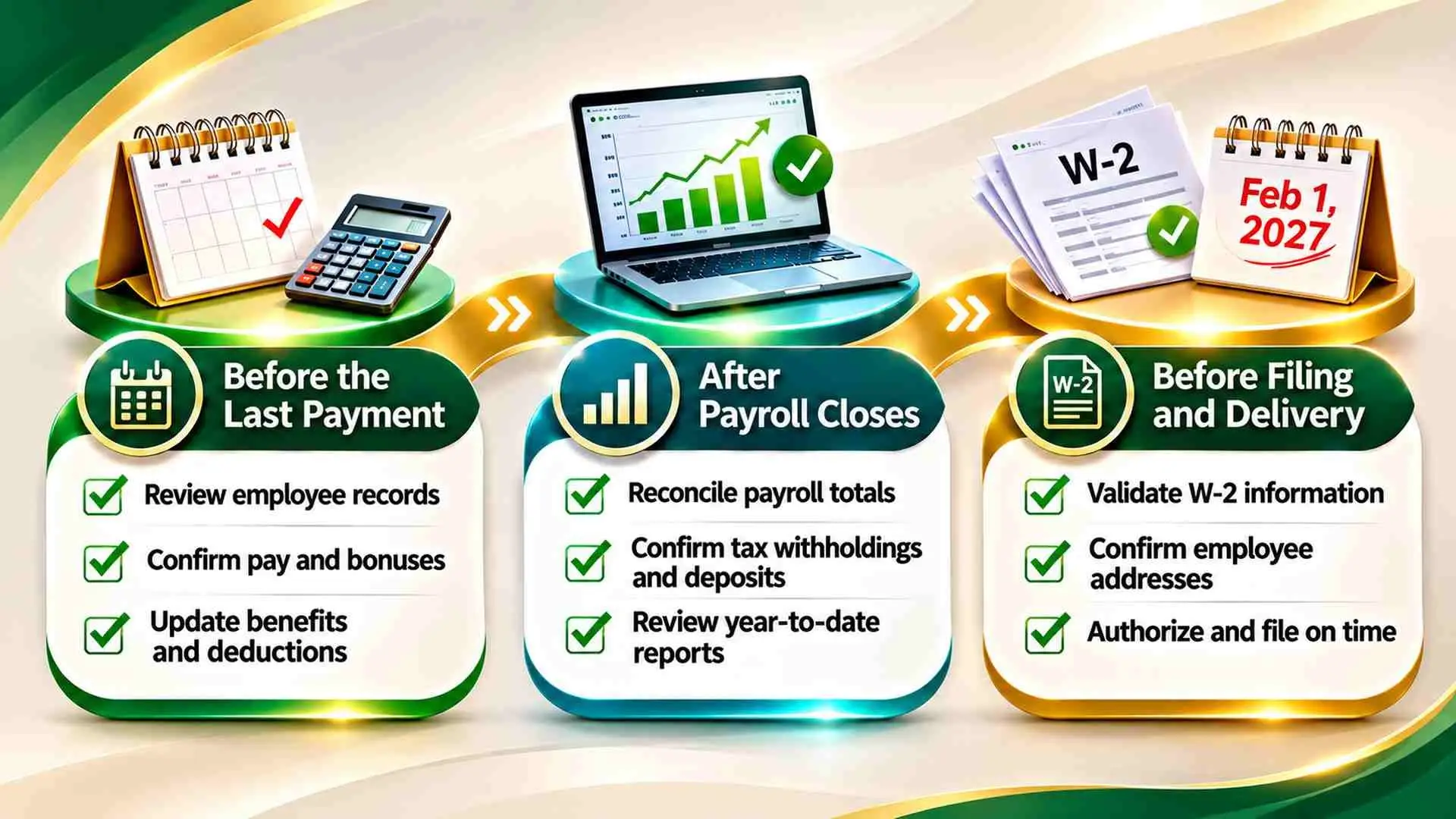
Key date: 2026 Forms W-2 are due February 1, 2027, both for furnishing employee copies and for filing with the Social Security Administration. January 31, 2027 falls on a Sunday, so the deadline moves to the next business day.
Before December Closes: Set the Review Calendar
The IRS General Instructions for Forms W-2 and W-3 confirm the February 1, 2027 deadline for 2026 wages. Check separately whether disaster relief or other special filing circumstances apply to you.
Work backward from that date. Get your provider’s cutoffs for bonus submissions, benefit adjustments, draft review and filing authorization, and place them beside bank holidays and planned absences. Name a backup approver and leave time to resolve questions before each cutoff. This step is complete when the employer and the provider have agreed on the calendar.
Before the Last Payment: Verify Employee Records
A complete roster includes everyone paid during 2026, including former employees. Compare it with hiring and separation records, then request corrections securely. Verify the employer’s legal name, tax identification number and reporting accounts separately. If your agreement includes HR compliance support, clarify who investigates missing identifiers and recordkeeping discrepancies before that information moves into annual reporting.
Use these three checks to complete the employee record portion of your year-end payroll checklist:
- Confirm that every employee paid during the year appears in the annual payroll roster.
- Verify employee names and missing identifiers against secure supporting records.
- Check delivery addresses and how former employees will receive their statements.
Resolve discrepancies against supporting records, and keep sensitive identifiers out of ordinary email.
Before the Last Payment: Approve Outstanding Compensation
Ahead of the final payroll of the year, collect approved hours, commissions, bonuses and other pending compensation from each manager. Compare it with accounting’s record of payments made outside the normal cycle, such as a separate bank transfer or handwritten check. Record whether each item is paid, scheduled or awaiting approval.
Check the actual payment date when a pay period crosses December and January. Work performed in December does not, by itself, decide the wage reporting year. Before moving a payment or adding a payroll run, confirm the funding requirement, withholding and deposit timing with the responsible professional. Close this task when every pending payment has a documented outcome.
Before Closing Payroll: Resolve Benefits and Deductions
Gather benefit information from accounting and from the team handling employee benefits administration before the last processing cutoff. Review retirement deductions, employer-provided benefits and adjustments that have not reached payroll yet. Holiday gift cards and personal use of company vehicles deserve particular attention, because their treatment or valuation may affect reported wages. Get the applicable tax treatment for each item rather than treating every benefit alike.
Ask whether third-party sick pay or owner benefits need a separate review in your situation. Record each approved amount and whether it was included, excluded or referred for specialist review.
Before Generating Forms: Validate the New 2026 Reporting Fields
For 2026, box 12 code TT separately reports qualified overtime compensation. It covers only the premium portion required under federal overtime law (the “half” in time-and-a-half), not the entire overtime payment. Tip reporting adds code TP for cash tips reported to the employer and Treasury tipped occupation codes in box 14b. The new employee deductions for qualified overtime and tips do not remove the employer’s withholding obligations on those wages.
Your provider’s validation report should show the overtime premium calculation, tip totals and how they map into the new fields. If pay codes changed during 2026, check the earlier records too, so missing historical data is caught before statements are produced.
After the Last Payment: Check the Completed Register
Once the final payroll of the year has processed, compare the completed register with the approved inputs. Look for unusual changes in taxable wages, deductions and net pay, and trace rejected deposits, voids and replacement payments one by one so that a fix does not create duplicate wages.
For example, suppose an employer paid a $500 gross bonus on December 18 outside its regular payroll process, and the payment is missing from the register. Trace the payment to its authorization and bank record. Have payroll determine the required wage entry, withholding and any funding adjustment, then regenerate the affected reports. An approval date alone does not prove that a payment was made.

After Payroll Closes: Reconcile the Annual Reports
Begin year-end payroll reconciliation with the annual register, the draft W-2 statements and the W-3 totals. If you file Form 941 quarterly, compare the relevant totals with all four quarterly returns, including the fourth-quarter draft. Employers that file an annual Form 943 or 944 should use that return instead.
Compare federal income tax withheld, Social Security wages and Medicare wages separately. Then review the related taxes, accounting for employer and employee shares and any adjustments. W-3 amounts must equal the total of the underlying W-2 statements. IRS Publication 15, the Employer’s Tax Guide, explains valid reasons for differences. Every difference needs an explanation before it becomes an approved adjustment.
Gross pay does not need to equal every taxable wage box; tax treatment and wage limits can explain legitimate differences. Suppose the quarterly returns show $24,000 in federal income tax withheld, but the draft W-3 shows $23,900. Trace the $100 difference to employee records before changing either report, and log the cause, the correction and the reviewer’s approval.
If you changed providers during 2026, confirm how earlier wages entered the current records and which party will issue each statement, so that no employee receives a duplicate or missing form.
Before Release: Approve Filing and Delivery
Before the W-2 deadline, verify filing access and the submission method. Electronic filing is generally required when your information returns total at least 10 for the year, subject to waiver and exemption rules. Count the relevant return types together rather than using employee headcount alone. Confirm who will investigate a rejected submission and keep the final acceptance record.
Employee delivery needs its own check. Verify mailing arrangements, or the consent requirements for electronic statements, especially for people who have left the business. Tell employees how to securely report a missing statement or a suspected error, and route those requests to someone with access to the approved payroll records.
Review draft statements for employees in different situations, such as a changed address, a bonus or a benefit adjustment. Compare each selected statement with its supporting record and check that the intended amounts appear in the expected boxes. Record who approved the drafts and when. This sample catches individual errors that offset each other in the totals.
Before Authorizing Submission: Confirm Responsibilities
J Solutions offers payroll processing, withholding, reporting support and annual W-2 preparation through its payroll administration services. Whoever runs your payroll, establish the scope of the agreement and who approves inputs, annual totals and release. Use your checklist to record those approvals rather than assume the provider has received every payment or benefit adjustment.
Keep a separate calendar for tax deposits and state or local reporting. Before authorization, the reviewer should have the approved register, reconciled totals, resolved exceptions and the delivery plan. Any later payroll change should reopen the affected checks.
Year-End Payroll Checklist FAQ
When are 2026 Forms W-2 due?
Generally February 1, 2027, for both employee copies and filing with the SSA.
What should employers check before payroll closes?
Employee records, pending payments, benefit adjustments and the provider’s processing cutoffs.
What does year-end payroll reconciliation involve?
Comparing annual payroll totals with the draft W-2s, the W-3 totals and the applicable employment tax returns, such as the four quarterly Forms 941.
Does outsourcing payroll remove employer responsibilities?
No. Confirm who supplies records, who reviews totals, who authorizes filing and who handles corrections.
How can employers confirm that filing is complete?
Keep the submission acceptance records, investigate any rejection and track statement delivery.
Close the Year With a Clear Record
A completed year-end payroll checklist leaves a clear record of what was paid, how annual totals were checked and who authorized the forms. Start before the final payroll of the year, use the completed register to resolve reporting differences, and finish by tracking submission acceptance and employee delivery, with a defined route for corrections.
Your next step is simple: get your provider’s processing cutoffs and set the first review date. If you would like support with W-2 preparation and filing, the J Solutions team can walk you through how the work can be shared.